Star Watermark
Picture and PDF watermark tools on Windows PC and macOS
Configuration of GDI Scaling
Each application can be independently configured to run with GDI Scaling. This completely replaces the default scaling of the application. You should test to make sure the app looks improved before deploying these changes.
Configuring a local app to run with enhanced system scaling
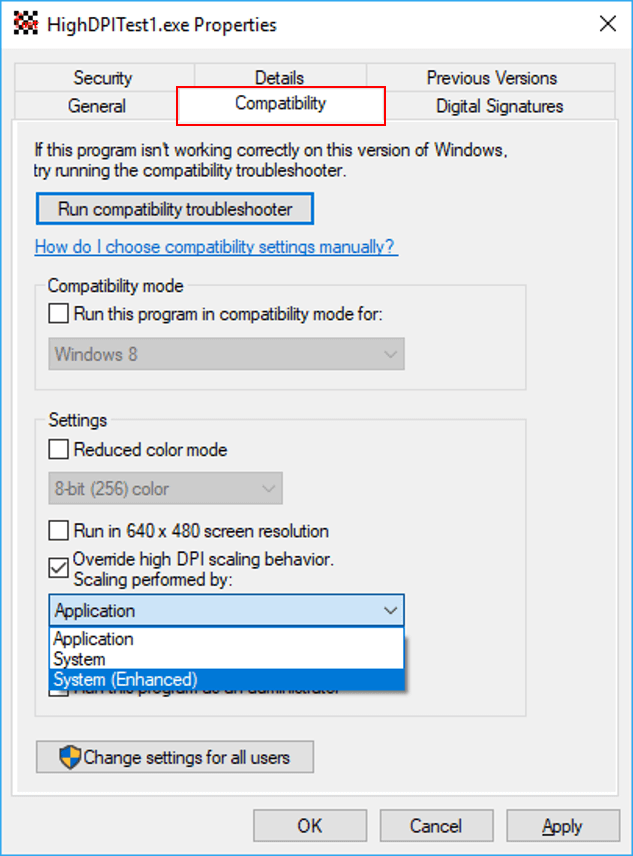
The simplest way to enable GDI Scaling for an application is use the application compatibility tab UI.
To do this, you can:
- Right click on the application icon and click “Properties.”
- Go over to the Compatibility tab, enable “Override High DPI scaling behavior” and set the Scaling Behavior to “System (Enhanced).”
- Restart the app and move it between your different displays to see if there is an improvement.